# Perp
**Steps to Trade Perp Instruments:**
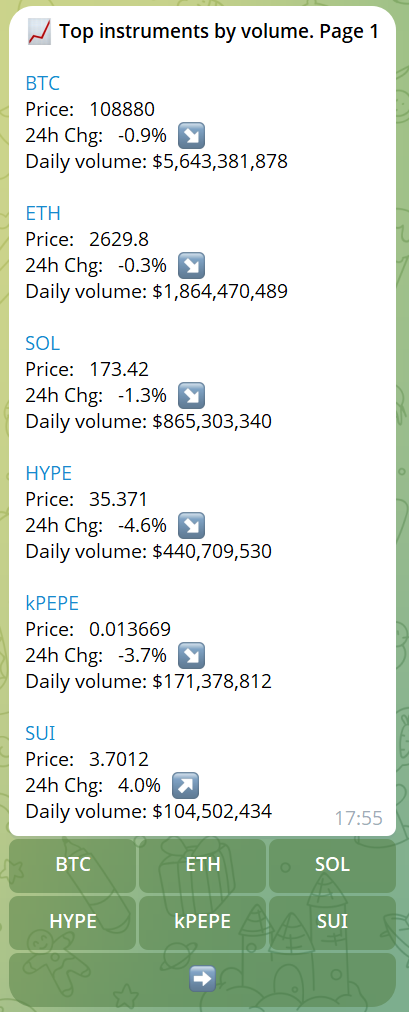
1. **Find Instruments** Use the `/instruments` command to see a list of available perpetual instruments, ordered by their 24-hour trading volume.
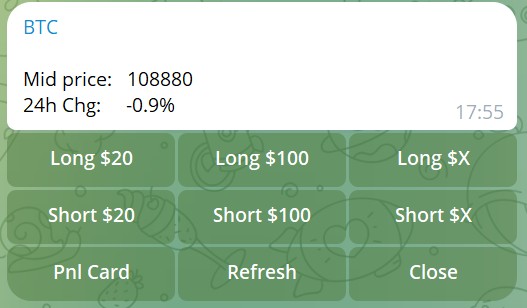
2. **Select an Instrument** Once you've identified the instrument you want to trade, click its symbol at the bottom of the message. This will open the **Trading Widget**.
3. **Use the Trading Widget**
* Use the buttons on the widget to trade:
* **Long Options**: Choose pre-set amounts (**$20**, **$100**) or enter a custom amount using **"Long $X"**
* **Short Options**: Choose pre-set amounts (**$20**, **$100**) or enter a custom amount using **"Short $X"**
* **Management**: Use **"PnL Card"** to view your position details, **"Refresh"** to update prices, or **"Close"** to exit your position