# Link API Key
### **How to Link a Wallet Using API Key in Hypurr Fun**
Follow these steps to link your wallet using an API key in the Hypurr Fun Bot:
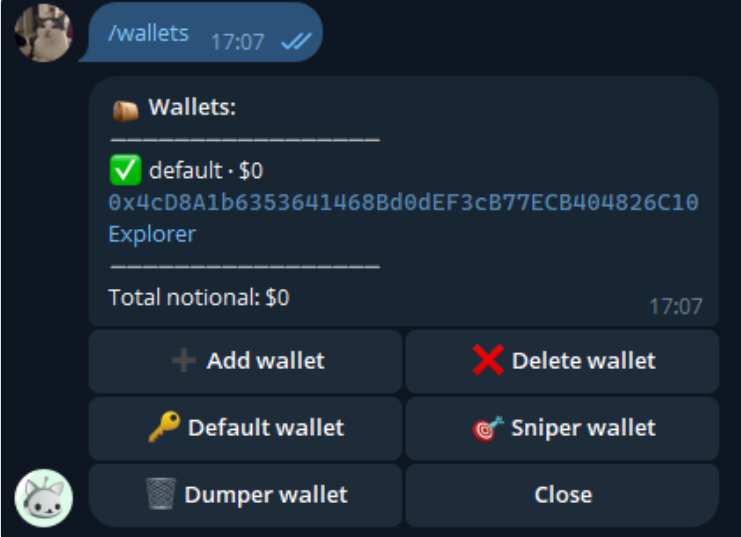
1. Use the **/wallets** command to open the Wallets menu.
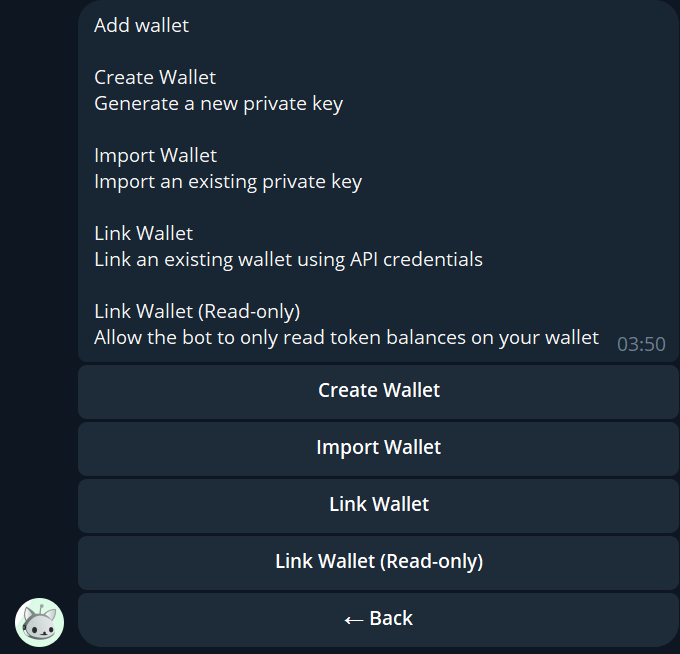
2. Press **"Add Wallet"**.
3. Select **"Link Wallet"**.
4. Name your wallet (this name is for identification purposes and is different from your wallet's address).
5. Enter your wallet's address (ensure it starts with **"0x"**).
6. The bot will ask you to allow API access. Go to [Hyperliquid API Settings](https://app.hyperliquid.xyz/API) and add an entry for the given address.
7. Once API access has been granted, press the **"Link"** button in the bot.
***
🎉 Your wallet has been successfully linked and is ready for use!